How Clipcroft works: an online clipboard in your browser
Clipcroft is a real-time online clipboard for text, links and files — free, with no account and no install.
- Create a clipboardOpen clipcroft.com in any browser and tap or click Create a new online clipboard. You'll get a clipboard name like "coolfox7".
- Open the clipboard on your other deviceOn your other device, open clipcroft.com, enter the same clipboard name, and tap or click Open — or scan the QR code, or open the shared link. Both devices are now connected.
- Share text and filesType or paste text or links, or tap or click the icon to pick one or more files. Text and links appear on the other device in real time, and files start transferring right away. Tap or click Save on each received file — or Save all to this device to save them all at once.
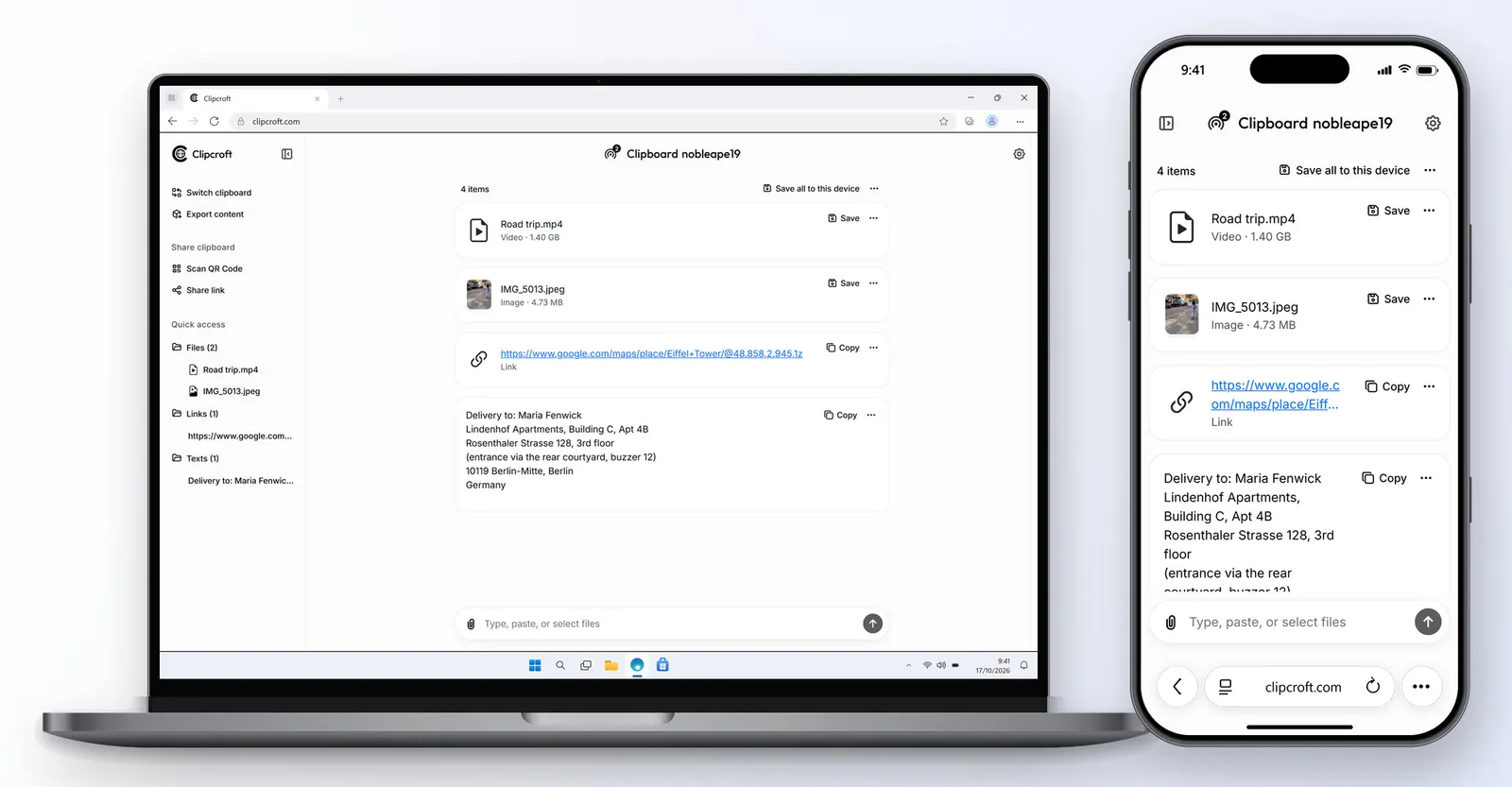
It works in any browser on Windows, macOS, Linux, ChromeOS, Android 8 or newer, and iOS 15.4 or newer.
Files travel browser-to-browser over a peer-to-peer WebRTC connection — the same technology that powers video calls in Google Meet — and are never uploaded to or stored on any server. If the two browsers can't connect directly, the encrypted file stream is relayed through one of our servers. Text takes a lighter path: our server relays each message to your other device in real time. Both are always encrypted in transit — DTLS for files, TLS for text — and an optional password adds end-to-end encryption on top. Your text, your files and your clipboard history are stored only in your devices' browsers — never on any server.
Set an optional password when you create a clipboard: an encryption key is derived from it locally on your device with PBKDF2 and used to encrypt everything with AES-GCM before it leaves your browser. Without the password, the clipboard's name alone won't open it. The items kept in the browser's local storage are encrypted too, and after 15 minutes without activity (you can change this in Settings), a password-protected clipboard locks itself and forgets the key — useful on a shared computer.
What people use Clipcroft for
- Photos and videos from an iPhone to a Windows PC, through the website — no app on either side, no cable, no iCloud. This is the most common use. How to transfer photos, videos and files from an iPhone to a Windows PC.
- Text, links and one-time codes from a phone to a computer, or the other way round. Type or paste on one device, and it is on the other one. Send text and links between your devices without emailing them to yourself.
- A file onto a computer that isn't yours — a work PC, a library computer, a friend's laptop — without signing in to anything on it. Nothing is installed, and when you're done you can remove the clipboard from that computer.
- Many files, or a whole folder, in one go. Drop a folder and the receiving side can save it as a ZIP with its subfolders intact; the queue retries and resumes on its own. Send a folder between devices and keep its structure.
- The same clipboard on several devices. Up to 20 devices can keep one clipboard open; one send reaches all of them, and what you keep in it stays on each device as a history you can export. Clipboard history across devices.
Guides
Step-by-step pages for the transfers people ask about most, and for when your devices' built-in tools fail.
Between devices
When the built-in tools fail
Clipboards and alternatives compared
No transfer limits — where your files live
Clipcroft is free and ad-supported. There is no per-file size cap and no daily or monthly limit on what you transfer. What you receive is kept in your browser's storage on your own device, so a very large batch is bounded by the space the browser gives this site — save the files you want to keep to your device, then clear saved data in Settings to free the space. Items stay on each device for 7 days by default; in Settings you can choose from 1 hour to 30 days, or keep them until you delete them, and you can remove a clipboard from a device at any time. Both devices need to be online at the same time: nothing is held for a device that isn't there, because nothing is stored on a server.